

Reservations
From this year, we are introducing a booking system at the festival.
You will find out how it works in the text below.
Reservations are not required. Admission to the cinema is still only possible with accreditation. During the festival, you can take a maximum of 10 bookings.
The reservation can be cancel at the earliest when the cinema hall opens, so 20 minutes before projection.
How do I make a reservation
You will need our festival app to create a reservation. Cinematic, which you can download at Apple Store or Google Play Store.
Prior to the festival, an app update will be released which will introduce a new feature – bookings. This update will need to be installed. Concurrently, we will supplement this guide with a step-by-step visual walkthrough.
The booking system will launch at 12:00 on the first day of the festival.
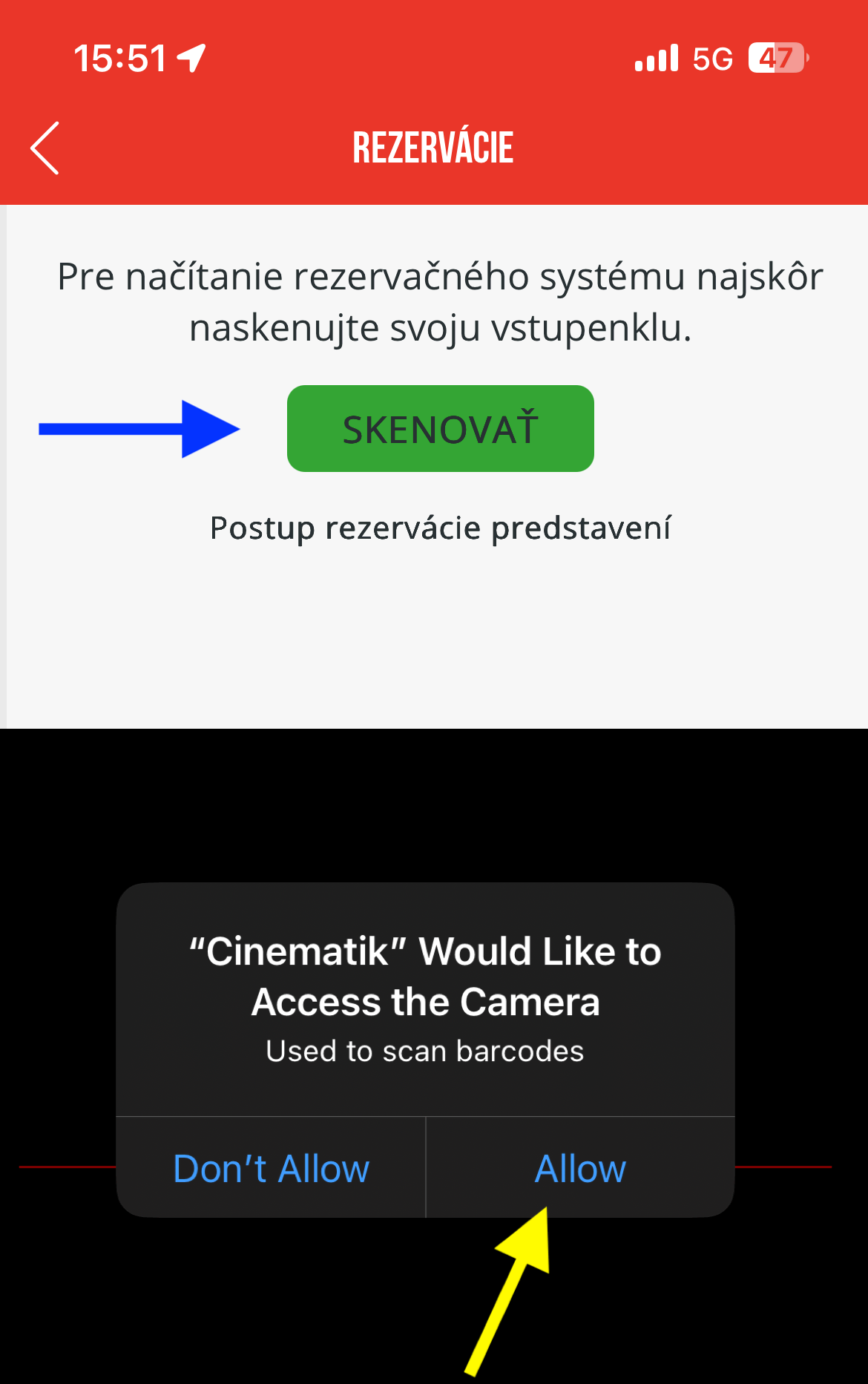
In the app, go to the section via the main menu. „Reservations“.

Press the button „Scan“ and allow camera access.
A film schedule will be displayed, which you can make reservations for.
If the film is not there, it is not possible to make a reservation for it.
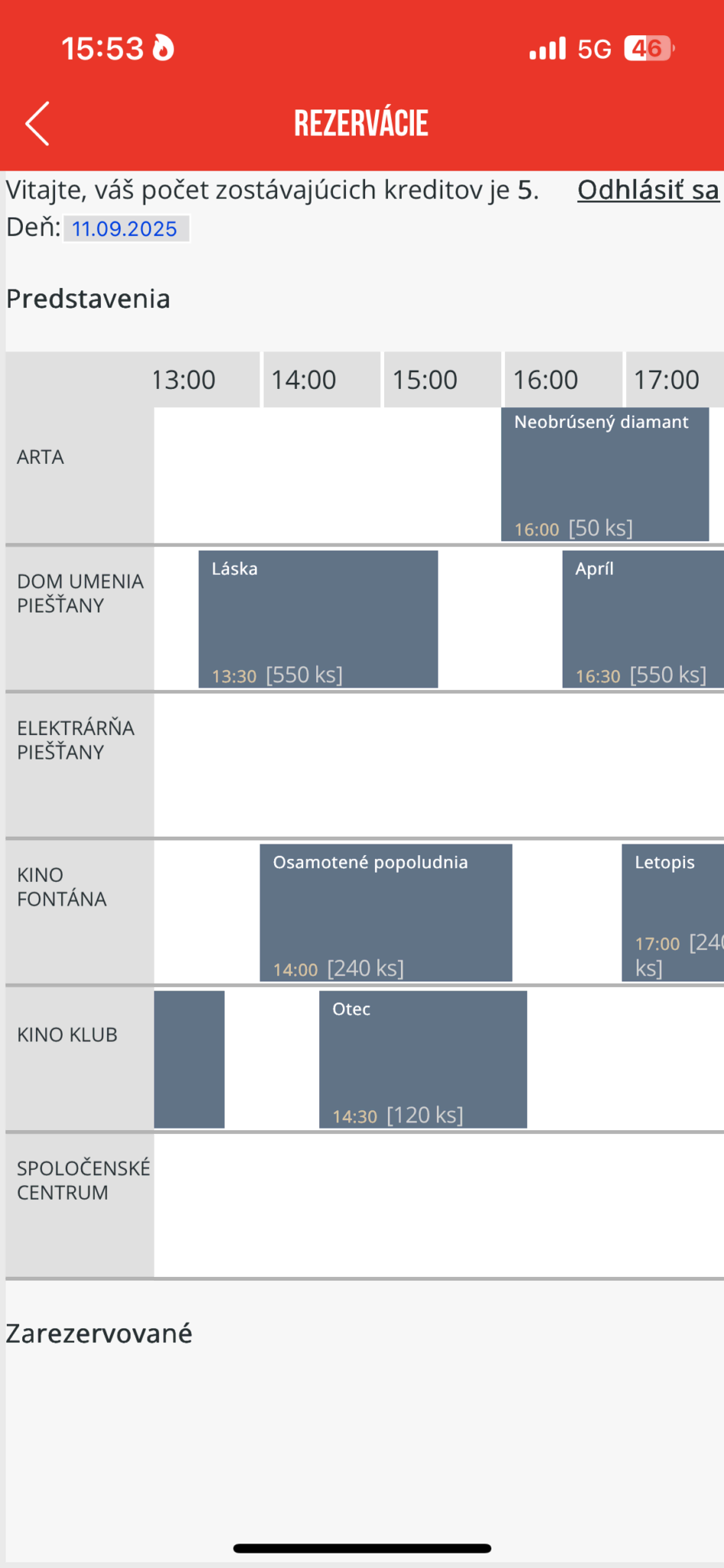
A film schedule will be displayed, which you can make reservations for.
If the film is not there, it is not possible to make a reservation for it.
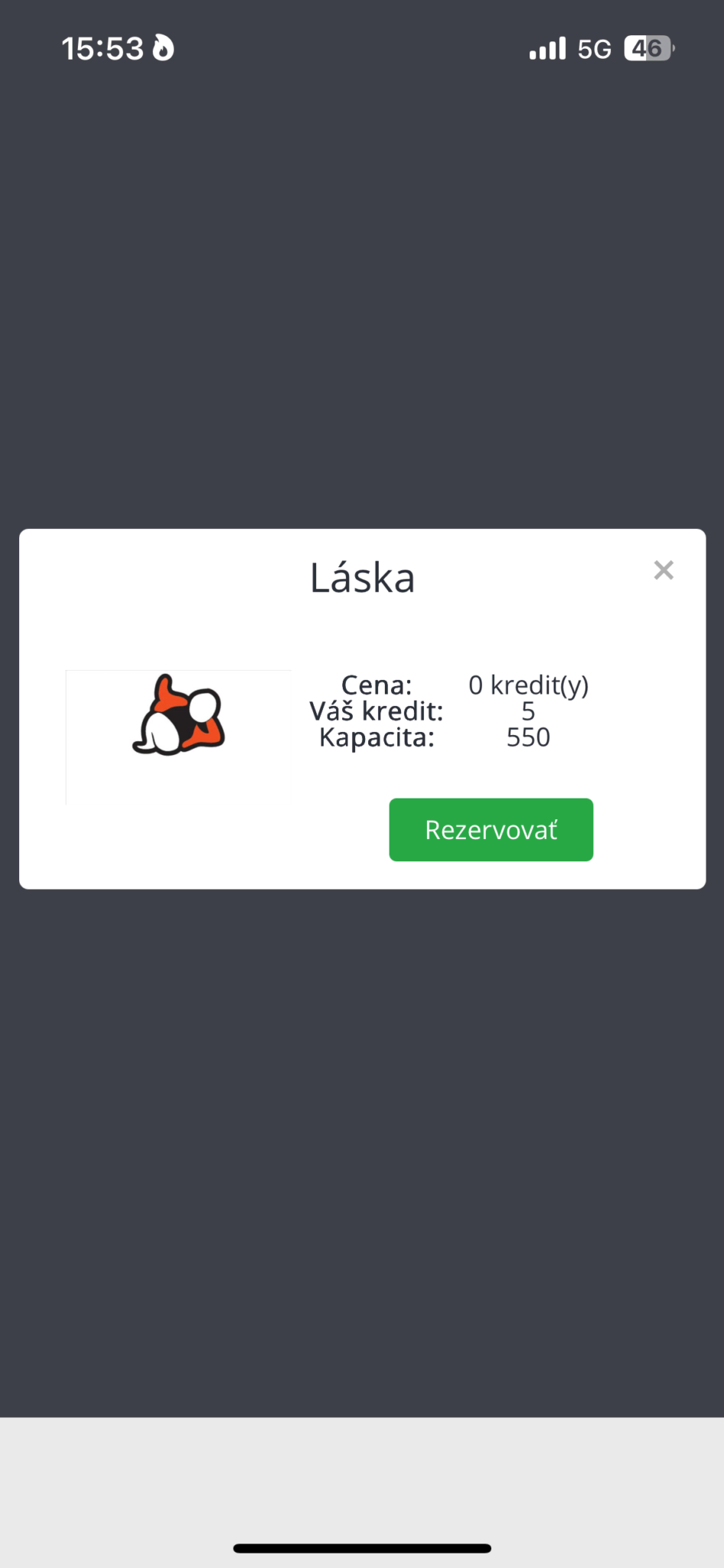
Select a film and click on „Book“. Done, your film is booked.
You can view or cancel all bookings by scanning your accreditation.
For each film, you will also see the number of seats available for reservation.
If you don't manage to make a reservation, you can still attend the screening, as we do not release the entire cinema hall capacity for reservations. Furthermore, if patrons with reservations do not arrive on time (see below), their seats will be released for others.
⚠️ Important notice: The reservation is linked to a scanned accreditation (not a mobile app). For this reason, we recommend not to exchange Please ensure you have your accreditation. Bookings might get mixed up, and without the correct accreditation, you won’t be allowed into the hall among the first group (you’ll be admitted with the general public).
If you haven't collected your accreditation yet, it's possible to make a booking for the QR code you received by email. Once you have collected your accreditation, you will only need to use the accreditation.
If you need help with your booking, please contact our staff at the accreditation centre.
What will it look like in the cinema
The principle is similar to airlines with priority and non-priority boarding.
If you do not have a reservation: It still holds that with accreditation, you have access to the cinema hall if there are free seats. Entry for viewers without reservations begins 10 minutes before the screening.
If you have a reservation: The cinema hall opens 20 minutes before the start. Visitors with reservations will be admitted first. Seating will remain free – you choose your own seat. Please join the designated queue for reservations at the entrance.
Booking valid until: Reservations expire 10 minutes before the film starts. If you arrive late, your reservation will no longer be valid, and entry will be permitted as capacity allows, along with viewers without reservations.
Before entering the cinema hall, please customers to stand in the relevant queue – for reserved seats or for walk-in customers.